
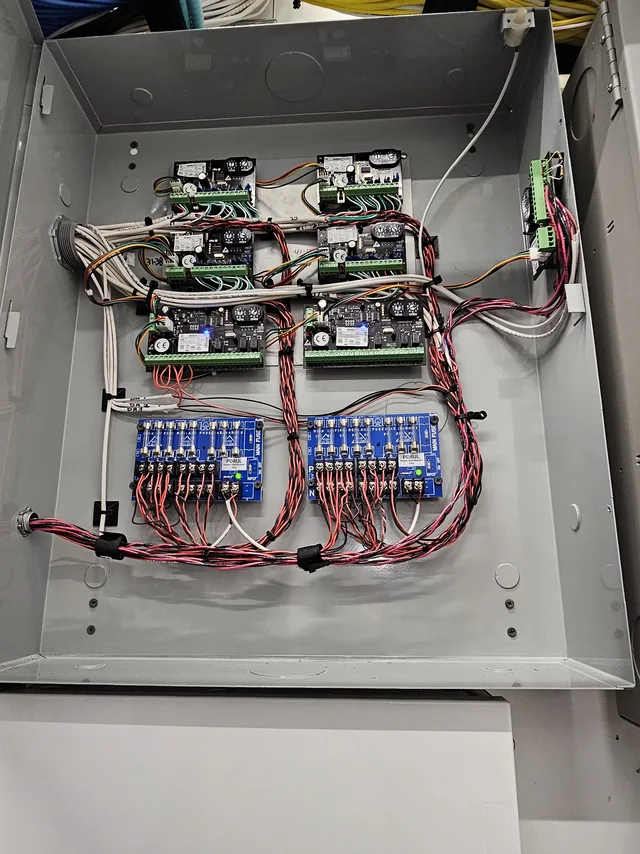
What managed IT covers
Managed IT is the arrangement where the computers and the network are somebody’s job before anything fails, not only after. For an Orlando business with a handful of staff and nobody technical on the payroll, that is the difference between a failing drive being noticed on a Tuesday and the whole week being lost when it dies on Friday.
- Computer management, setup and decommissioning: new machines configured for the person using them, old ones wiped before they leave the building
- Network analysis and network security: the firewall, switches and wireless access points installed and configured
- Email migration, when a business moves to a new mail platform or a new domain
- Technical support, at your building or by remote session
- Routers, switches, firewalls, computers, wireless access points and SIP trunks, installed and supported by the same people
Which of those a business needs depends on its mix of machines, software and people, which is why the first step is a look at the office.
IT for the buildings Orlando works in
Orlando’s business space is unusually mixed. Downtown and the office corridors along I-4 and SR-408 are multi-tenant buildings, where the tenant controls the suite and the landlord controls everything between it and the carrier. The hotels and attractions along International Drive run back offices, point-of-sale and guest-facing systems around the clock. Medical and dental practices cluster near the hospital campuses and in Lake Nona, and professional firms fill the office parks from Sand Lake Road and MetroWest out to the east side.
Each of those needs something different from IT support. The multi-tenant office needs someone who can work inside the building’s telecom room and the property manager’s rules. The hotel needs changes made without interrupting check-in or the restaurant’s point-of-sale. The clinic needs its medical devices segmented from everything else, and a record of who can see what. The cabling, access points and phones in those buildings are the same trades we install, so the person supporting the computers knows how the rest of the room is wired. For the on-site side of that work in the city itself, see IT support in Orlando.
Hurricane season and the office that keeps running
Central Florida’s hurricane season runs June through November, and the IT problems it causes are mostly about power and internet rather than wind. A server that loses power mid-write can corrupt the database on it. A dead firewall tempts someone to plug the switch straight into the modem to get the internet back, which puts the whole office on the open internet until the firewall is replaced. An office that works from a server in a closet has nothing to work from when the building is dark for two days.
The preparation is unglamorous and belongs in May, not in the week a storm is named: power that fails cleanly, a copy of the data that is not in the building, a second way onto the internet, and a list of who does what. The specifics are in the questions further down this page. If nobody has asked them about your office, ask before the season starts.
One contractor for the whole stack
Most buildings end up with an IT provider who does not own the network they are supporting. We do. The structured cabling under the floor, the wireless access points on the ceiling and the phone system on top of both are ours as well, so when something stops working there is one person responsible for finding out why rather than three vendors pointing at each other. The same goes for the security cameras sharing the network.
Ongoing management or on-site support: which one fits
Some Orlando businesses want one company responsible for everything, all the time. Others already have a provider or an in-house person and need a contractor who will come to the building for the physical work: a new suite to fit out, a server to move, a firewall to replace, a network that drops out at the same time every day. We do both. The first is managed IT, described on this page. The second is the on-site work described on our Orlando IT support page.
Either way the first step is the same. Call, describe what is breaking or what you are about to move into, and we will come and look at it.
Common questions about business IT support
What is the difference between managed IT and calling someone when something breaks?
Managed IT means someone is responsible for your computers and network before anything fails. Break-fix means you call for help after something has already stopped working and pay for that visit. Under a managed arrangement, the routine work that prevents most outages happens on a schedule: operating system and software updates, backup checks, firewall and antivirus reviews, removing accounts for people who have left, and keeping an eye on disk space, warranties and error logs for the machine that is about to become a problem. Break-fix costs less in a quiet month and more in a bad one, because the bill arrives on the day a server dies or a laptop full of unsaved work is locked by ransomware. For a business with a handful of staff and nobody technical on payroll, the practical question is who notices the small problems. With break-fix, nobody does until they become large ones. With managed support, noticing them is the job.
What should a small business back up, and how often?
Back up anything you could not recreate by hand, and back it up at least once a day. For most small offices that means the shared files everyone works from, accounting and point-of-sale data, email, the database behind any line-of-business application, and the configuration of the server, router and firewall, which people forget about until they have to rebuild a network from memory. Laptops and desktops matter too if staff save work locally instead of on the server. Follow the 3-2-1 rule: three copies of the data, on two different kinds of storage, with one copy kept off-site or in the cloud so that a fire, flood or theft does not take the backup along with the original. Daily is the floor. Anything that changes all day, such as a database, should be backed up more often than that. Then test a restore now and then, because a backup that has never been restored is a guess rather than a plan.
What network security does a small office actually need?
Four things cover most of the risk for a small office: a business-grade firewall, current updates on every device, multi-factor authentication on email and on any account that can move money, and a guest WiFi network kept separate from the one your computers and cameras use. The firewall is the border between your network and the internet, and the one built into a consumer router is not enough once you have a server, cameras or people working remotely. Updates close the holes that attackers scan for, and an unpatched machine is one of the easiest ways into a network. Multi-factor authentication means a stolen password is not enough on its own, which matters because passwords get stolen all the time. Separate guest WiFi keeps a visitor's phone from seeing your file server. Beyond those four, use a password manager, give people only the access their job needs, and remove accounts the day someone leaves.
When should you replace aging computers and servers?
Replace a computer when its operating system stops receiving security updates, when it slows down the person using it every day, or when a repair would cost a meaningful share of a replacement. Age alone is not the test, but most business desktops and laptops reach one of those points somewhere around their fourth or fifth year, and servers later because they use better parts. Watch for the warning signs before then: a machine that takes minutes to boot, a hard drive that has started reporting errors, a fan that never stops, or an expired warranty on the one server the whole office depends on. That server is the bigger risk because everything else leans on it. The sensible approach is to replace machines on a rotation, a few each year rather than the whole office at once, so nobody is surprised when an old one finally quits. Retired machines should be wiped before they leave the building, because a decommissioned computer still holds everything it ever stored.
Why does it matter if one contractor handles the network hardware and the IT support?
Because when something stops working, the first job is finding out which layer failed, and that goes faster when one company is responsible for all of them. A slow office can be a bad cable run, a misconfigured switch, an access point in the wrong spot, a firewall rule, a failing hard drive or a full mailbox. When the structured cabling was pulled by one vendor, the wireless was installed by another and a third looks after the computers, each of them can truthfully say the problem is not on their side, and you end up coordinating three tickets. One contractor for the whole stack removes that hand-off. The person who fixes the desktop also knows how the closet is patched and where the access points hang, so a wireless complaint can be traced to a bad drop instead of being blamed on the laptop. It also means one place to call rather than a list of vendors, and one company that cannot point at anyone else.
What does a business continuity plan cover beyond backups?
A backup answers one question: can the data come back. Continuity answers a different one: how does the business keep operating between the failure and the restore. Two numbers frame it: how much data you can afford to lose, measured as time since the last good copy, and how long you can be down before the loss stops being an inconvenience. A nightly backup and a four-hour tolerance for lost data are not compatible, and an outage is an expensive place to discover that.
The rest follows from those two numbers: where work happens if a server or a site is unavailable, how phones and email keep running when the office network does not, who decides to switch over, and how staff and customers are told. The part most often missing is a restore that has actually been attempted. A backup job reporting success proves it wrote something, while only a test restore of a real system proves the plan works. In Central Florida it is also worth writing down what happens when power and internet are both out, rather than assuming either.
Do you support businesses outside Orlando, in Winter Garden, Clermont or Kissimmee?
Yes. SPCom Solutions is a service-area business based in Central Florida, and the same crews cover Orlando, Winter Garden, Ocoee, Windermere, Clermont, Minneola, Groveland, Kissimmee, Four Corners and Davenport. We also keep an office in Sanford, in Seminole County, and have a second service area covering Tampa Bay and Hernando County.
Working just outside that list? Call and ask. Larger projects regularly take us further out, and we will tell you honestly if a site is too far to support well.
What should an Orlando office do about its IT before hurricane season?
Four things, all of them in May rather than in the week a storm is named. Put the server, the firewall and the switch on a battery backup large enough to shut the server down cleanly, and make sure the shutdown actually happens automatically when the battery runs low, because a server that dies mid-write can corrupt what it was writing. Confirm that a copy of the backups lives off site or in the cloud and that a restore from that copy has been tried this year. If the business cannot be offline, add a cellular failover to the firewall so the office keeps working when the cable or fiber does not.
The fourth is a written list: who shuts what down before the storm, in what order, and who brings it back up afterwards, with the carrier's account number and a sealed copy of the firewall and server passwords where that person can reach them without power. Photograph the rack before anything is unplugged. When the building comes back, bring the firewall up before anything is reconnected to the modem, and check the backups ran before anyone starts work.
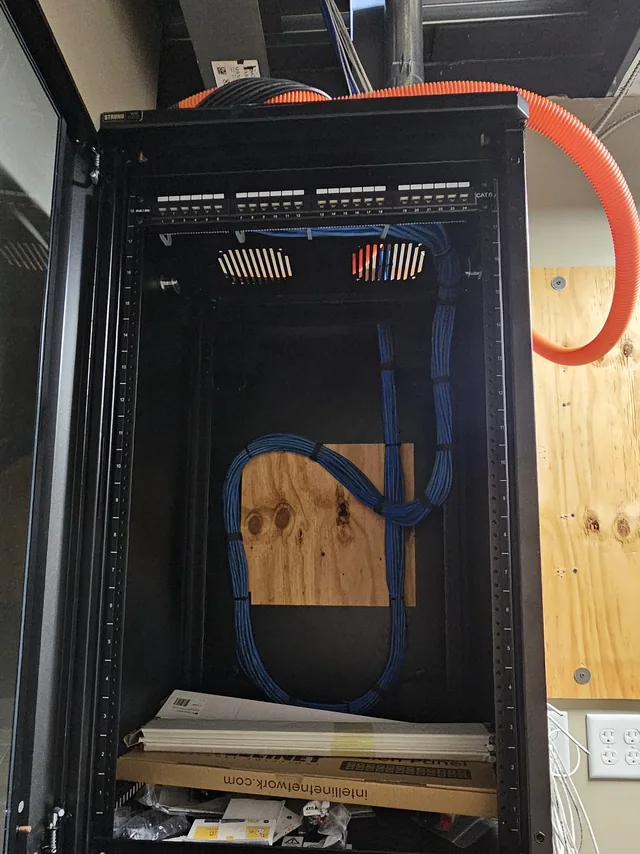
Where we work
We support business IT across the greater Orlando metro:
- Orlando
- Clermont
- Winter Garden
- Ocoee
- Windermere
- Four Corners
- Kissimmee
- Davenport
- Groveland
- Minneola
For the on-site side of this work in the city, from the downtown towers to the International Drive hotels and the medical districts, see IT support in Orlando.
Tampa, at the Gulf end of the map, has a page of its own: IT support in Tampa, which covers how support works that far from base, by remote session first and with visits planned around the drive.
SPCom Solutions is a service-area business: we come to your building, there is no showroom to visit. See the full service area
Get started today. Take the Technical Out of Technology.
Call and describe what is breaking, or what you are about to move into. We will come and look at it.