
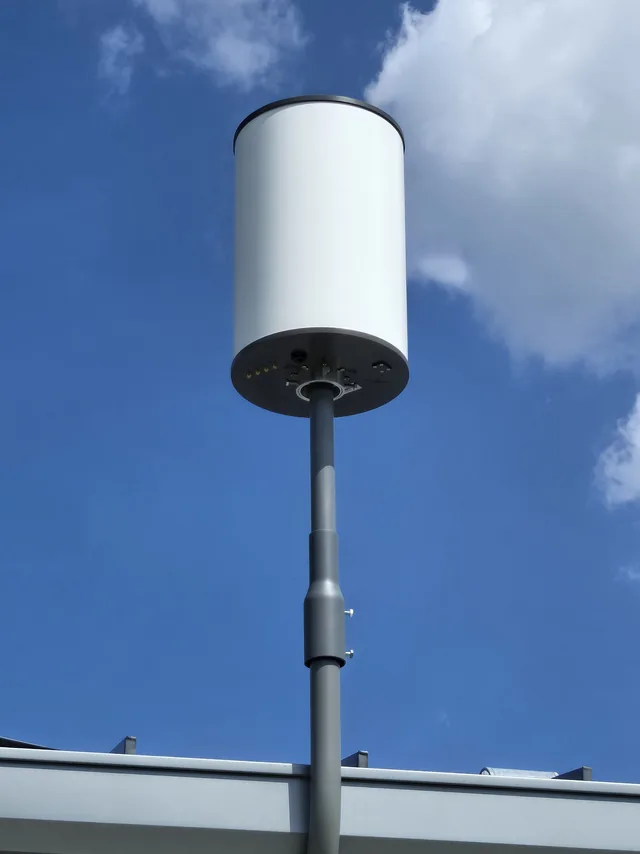
Wireless for the sites cable cannot reach
We survey, design and install wireless networks for offices, and for the places where hard-wired cabling isn’t practical. Wireless links connect buildings and remote locations into one network.
Wireless bridges provide stable, high-speed links between facilities, making them ideal for warehouses, outbuildings, temporary offices and remote sites. These solutions support computers, security cameras, hosted phone systems, access control and other critical network devices.
Every installation is tailored to your site, performance needs and future growth, from a single Clermont office to a multi-building property in Orlando or Kissimmee.
Our wireless services include:
- Wireless Access Point Installation – Strong, reliable Wi-Fi coverage for offices, warehouses and commercial spaces
- Wireless Bridges – Secure point-to-point and point-to-multipoint connections between buildings
- Video Cameras Over Wireless Networks – Dependable connectivity for surveillance systems
- Remote Network Locations – Connect hard-to-reach sites without running cable
- Remote Network Extensions – Expand existing networks quickly and efficiently
What you can check before you call
- Licensed Florida low-voltage contractor, FL License #ES12001608: verify it on the Florida DBPR licensee search
- Free on-site assessment before any quote
- Based in Central Florida, with an office in Sanford
Wireless is half of a network
Access points still have to land somewhere. Every wireless design we build starts from the structured cabling feeding it, and a bridge is usually the answer when a cable run to an outbuilding is not. Once the link is up it carries real work — security cameras on remote poles and outbuildings, hosted phone handsets in a satellite office, and the routers, switches and firewalls our IT solutions team keeps running.
Walk the site with us first
Wireless coverage is a question about walls, racking and density, not a box on a shelf, so we would rather look before quoting. Call to book a free walkthrough of your wireless project — we will survey the location, talk through what has to stay connected, and recommend the approach that fits the building. No obligation.
Common questions about business WiFi
Why does a site survey matter more than buying a stronger router?
A survey finds out where the signal actually goes; a stronger router only changes how loudly one point shouts. WiFi is a two-way conversation. A laptop or handheld scanner transmits at a fraction of the power an access point does, so turning up the access point lets devices hear it from farther away without letting it hear them back. That is the familiar full-bars-but-nothing-loads symptom. A survey walks the building with test equipment, measures signal and noise room by room, and records what the walls, ceilings and neighboring networks are doing to the airspace. That data decides where each access point goes, which channels it uses and how much power it should run, which is often less than the default. Buying a bigger router skips all of that and usually adds interference of its own, so the survey comes first and the hardware list comes out of it.
How many access points does a space need?
It depends on the floor plan, what the walls are made of, and how many devices will be on at once, not on square footage alone. An open office with drywall partitions and a modest headcount may be well served by a few access points. A warehouse full of steel racking is a different problem: metal shelving and dense inventory block and reflect signal, so the aisles behind the racks can go dark even when an access point is close by. Concrete block, tile, foil-backed insulation and glass with a metallic coating do the same thing in smaller buildings. Density matters as much as distance. A conference room full of people with a phone and a laptop each needs its own access point, even though the signal from the hallway would reach every seat. The right count comes out of a survey and a device inventory, and it is usually more radios at lower power rather than fewer radios turned all the way up.
What is a wireless bridge, and when does it beat trenching cable?
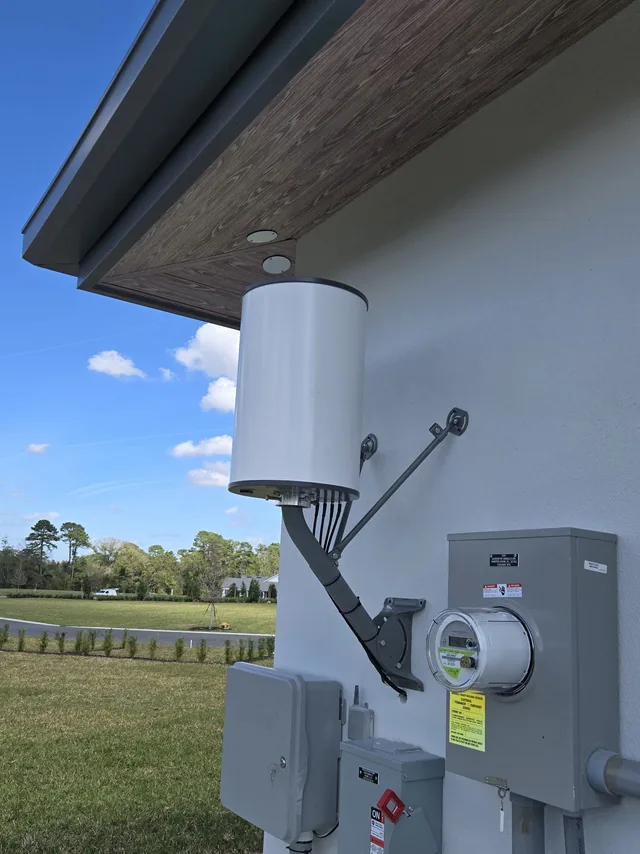
A wireless bridge is a pair of directional radios that carry a network connection through the air from one building to another, so devices at the far end behave as if they were on the main switch. Bridges come in two shapes: point-to-point, which links one site to one other, and point-to-multipoint, where a single hub radio feeds several outbuildings. A bridge beats trenching when the run would cross a parking lot, a roadway, a neighboring parcel, a drainage easement or a paved yard nobody wants cut open, or when the far building is temporary. It also wins when the distance is beyond what copper Ethernet can carry and fiber is not practical. What a bridge needs is a clear line of sight between the radios, a solid mount at each end, and a short cabled run from each radio to the switch inside. A gap through trees that looks clear today closes as the canopy grows, so a link is planned with margin.
Should guest WiFi be separated from business systems?
Yes. Guest WiFi should be a separate network that can reach the internet and nothing else. When visitors share the network that carries the point-of-sale system, the camera recorder, the door controllers and the file server, every one of their devices is a potential path into those systems, and you have no control over what is installed on a customer’s phone. Separation is done with a distinct network name mapped to its own VLAN, with firewall rules that block traffic from the guest segment to anything internal, and ideally between guest devices as well. The same idea applies inside the business: cameras, phones, printers and building automation each do better on their own segment, because a compromised device then cannot see the rest. Guest access can also be rate-limited so a waiting room streaming video does not slow the systems that run the business. On business-grade equipment this is configuration rather than extra hardware, and it is best decided before the first access point goes up.
Why do access points need wired backhaul instead of a mesh?
Because everything an access point sends over the air has to come from somewhere, and a cable is the only backhaul that does not compete with your devices for airtime. Consumer mesh kits relay traffic from node to node wirelessly, so each hop repeats data it has already received, on radios the clients also need. Throughput drops and latency climbs with every hop, and a node far enough away to be useful is also far enough away to have a weak link back. A wired access point gets its own Ethernet run to a switch, which carries full-speed traffic and usually power too, through Power over Ethernet, so no outlet is needed in the ceiling. That cabling is the hardest part of a wireless project to fix later, which is why it is planned as part of the structured cabling, not after it. Where a cable truly cannot go, a wireless bridge is the exception: a dedicated link, not a shared mesh hop.
Why does WiFi slow down when more people connect?
Because WiFi is one shared conversation rather than a set of private lines. Devices on an access point take turns on the same channel: on older equipment only one can transmit at a time, and while Wi-Fi 6 can serve several clients within a single transmission, the airtime is still shared out. Add devices and each waits longer for its turn, so a network that felt fast with five laptops feels slow with fifty even though the signal strength has not changed.
Slow devices cost everyone, which is the part that surprises people. A phone at the edge of coverage transmits at a low data rate, and while it is slowly talking, nothing else on that channel can. This is why the 5 GHz and 6 GHz bands matter so much: they carry far more non-overlapping channels than 2.4 GHz does, so neighboring groups of devices can hold their conversations side by side instead of queuing for the same airtime.
Where we work
We survey and install business wireless throughout the greater Orlando metro:
- Orlando
- Clermont
- Winter Garden
- Ocoee
- Windermere
- Four Corners
- Kissimmee
- Davenport
- Groveland
- Minneola
SPCom Solutions is a service-area business — we come to your building, there is no showroom to visit. See the full service area
Get started today. Take the Technical Out of Technology.
Tell us where the dead spots are and what has to reach the network. We will come out and see the site.